
Station payment settings
Station payment settings apply to POS and banking stations (bar, vendor, top-up, box office, and similar). Other station types may not show this panel.
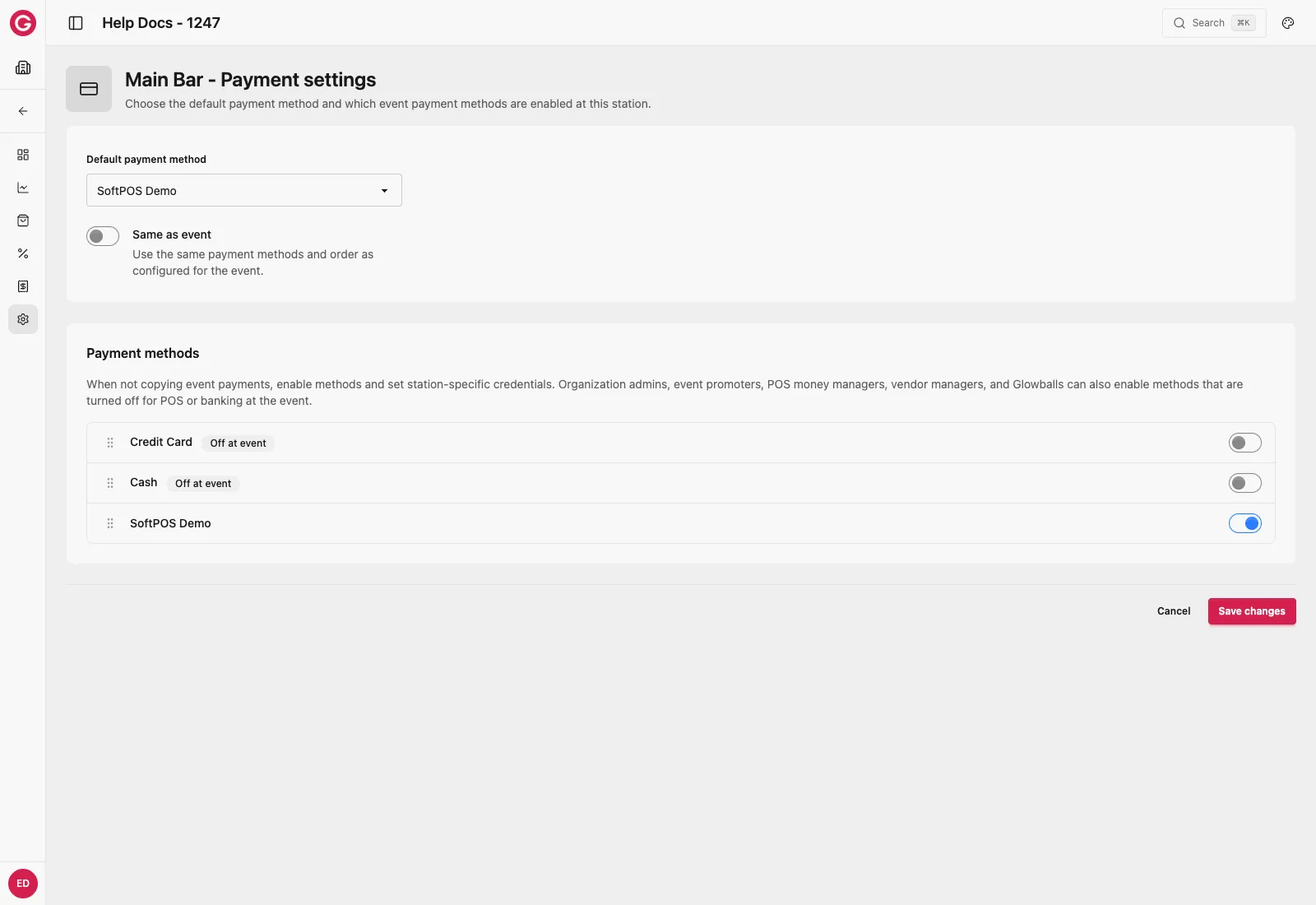
Open station payments
- Open Dashboard and select your event.
- Open Stations → the station.
- Go to Settings → Payments.
Same as event (recommended default)
When Same as event / copy event payments is on:
- The station uses the event’s enabled methods and order for that channel (POS vs banking).
- You do not maintain a separate station list.
- Event-level field overrides still apply.
Keep this on unless the station truly needs different tenders (for example cash-only bar).
Override at the station
- Turn Same as event / copy event payments off.
- Select which payment methods this station accepts.
- Reorder methods for Touch.
- Edit credential fields that the organization method marked as station overridable.
- Optionally set a default payment method for the station.
- Save, then sync devices.
What stations cannot override
- Split payments is an event setting only — there is no station split toggle.
- Fields without station override stay locked even when Same as event is off.
- Creating brand-new SoftPOS plugins is done at the organization, not on the station.
Related
Organization payment methods Create plugins and set override flags.
Event payment methods Enable and override at event level.
Station General (tips) Tips can use Same as event on General settings.