
Loyalty overview
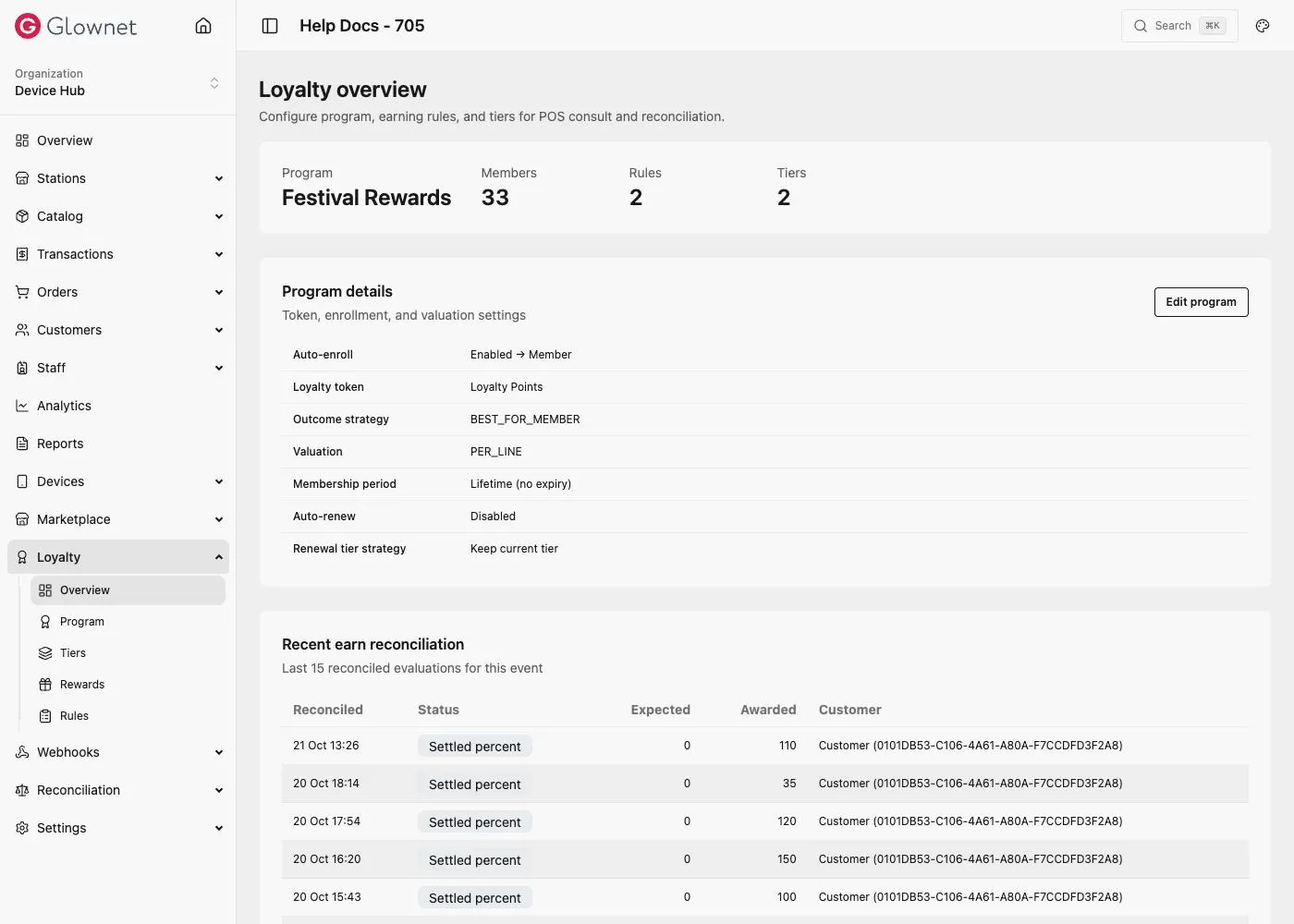
Loyalty lets you run membership tiers, checkout perks (earn, % off, BOGO), cumulative rewards, and enrollments. Configuration lives in Dashboard; cashiers apply loyalty on Touch.
Enable Loyalty
- Open Dashboard and select your event.
- Go to Settings → Modules.
- Turn Loyalty on and save.
When enabled, a Loyalty item appears in the event sidebar (Overview, Program, Tiers, Rewards, Rules)—if your role can manage event settings.
If Loyalty is off, the overview page points you back to Modules.
What you configure
| Area | Purpose |
|---|---|
| Program | Program name, loyalty token, membership defaults, outcome strategy |
| Tiers | Tier ladder and ranks |
| Rules | Checkout perks, cumulative progress, tier join/upgrade |
| Rewards | Free products, sale discounts, free catalog items |
| Memberships | Enrollment lifecycle and pack collisions |
Immediate vs later (quick map)
| Want | Use |
|---|---|
| Points / % off / BOGO this sale | Checkout perk rule |
| Spend N / buy N → perk later | Cumulative rule + Reward |
| Welcome gift on Gold | Tier rule + Reward |
| Fixed CRD off | Reward Sale discount (fixed)—not a checkout perk |
At the POS
See Loyalty on Touch for wallet sales, money-sale “Add Loyalty”, and earn taps.
Related
Rules Earn, discounts, BOGO, cumulative, tier events.
Rewards Free products, discounts, catalog items.
Memberships & CSV Enrollment collisions, extend, upgrade.
Program & tiers Set up the loyalty program.