
Catalog products
Products are the sellable items in your event catalog. Define them once at the event level, then assign them to stations with optional price overrides.
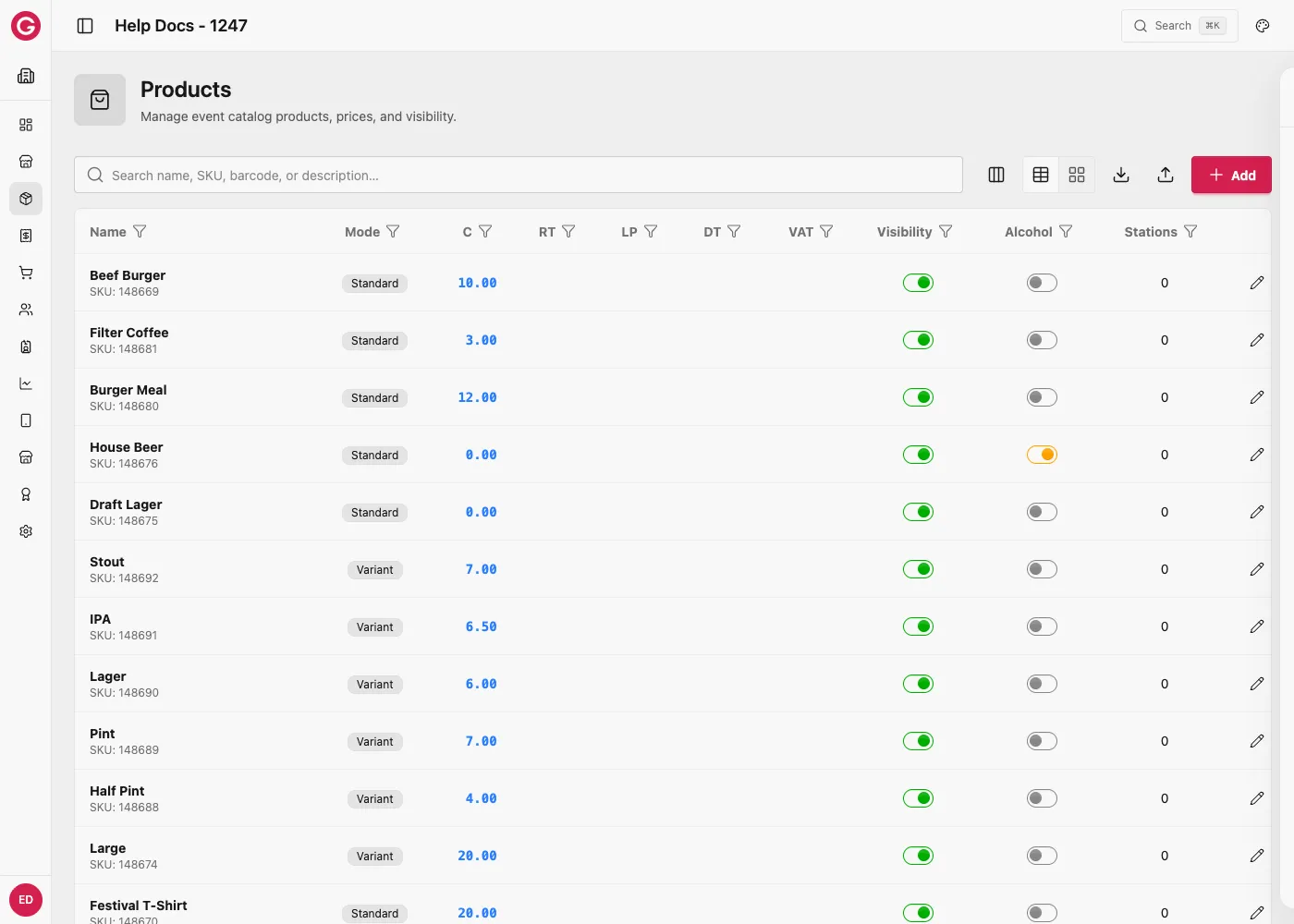
Open products
- Open Dashboard and select your event.
- Go to Catalog → Products.
Two ways to create a product
| Where | When to use it |
|---|---|
| Catalog → Products | Build the event’s full product list once, then assign products to stations |
| A station’s Products tab → New product | Add a product while setting up a station. It is created in the catalog and linked to that station in one step. See Station products. |
Either way, the product lives in the event catalog and can be added to other stations later.
Create or edit a product
| Field | Description |
|---|---|
| Name | Required display name |
| SKU / Barcode | Optional identifiers |
| Mode | standard (default), variant (variant SKU), or modifier |
| Description / Image | Optional merchandising |
| Visible | Soft-hide from catalogs when off |
| Alcohol | Marks alcoholic items (respects alcohol-forbidden flags) |
| Global prices | One price per event currency (not virtual credit) — see Pricing |
| Taxes | When Taxes are enabled, pick a rate per tax group (or none) |
Structure on a standard product
On a standard product you can:
- Attach variants (size/color SKUs) — see Variant groups
- Attach modifier groups (addons, choices, removals) — see Modifier groups
Drag to reorder how options appear on Touch.
Worked example: the simplest possible product
Not every product needs variants or modifiers. A single-SKU item is the most common case:
- Open Catalog → Products and create a new product.
- Set Name to Craft Beer, mode standard.
- Turn Alcohol on, since this product is alcoholic.
- Under Global prices, enter 6.00 C.
- If Taxes are enabled, pick the applicable tax rate.
- Save, then assign it to a station such as the Main Bar.
That is the whole catalog entry: one name, one price, one tax rate, no variants, no modifiers. Most of a catalog is made of products this simple; variants and modifiers are only needed when a product genuinely has options.
Worked example: how the three modes fit together on one catalog item
The three Mode values (standard, variant, modifier) are not three unrelated features, they are three roles a product can play inside the same catalog entry. One real product can use all three at once:
| Role | Mode | Example in this scenario |
|---|---|---|
| The thing the guest taps on Touch | standard (parent) | Burger Meal |
| A required option on that parent | variant, grouped under it | Not used here, see the Size variant examples for a parent with variant children |
| An optional or required add-on/choice on that parent | modifier, attached via a group | Fries, Salad, Onion Rings inside the “Choose your side” group |
- Create the parent: a standard product called Burger Meal, priced at 12.00 C.
- Create (or reuse) Fries, Salad, and Onion Rings as their own products, each already sellable on its own at its own standalone price.
- Build a modifier group called Choose your side (purpose
choice, min 1, max 1) and add those three products to it, with group prices of 0.00, 0.00, and 1.00 respectively. - Attach Choose your side to Burger Meal.
Opera’s catalog now has four products involved in one sale: the parent (Burger Meal) and three modifiers that are each still ordinary products in their own right, sellable standalone at the bar or inside this group at a different price. Variants would be added the same way if the meal also came in Regular or Large portions, as a group of variant SKUs on the same parent. Nothing stops a single parent product from having both a variant group and a modifier group at the same time.
Full pricing mechanics: Pricing — Burger + Fries examples.
Import and export
Use sample / export / import CSV from the Products page.
Typical columns include category, name, sku, description, alcohol, hidden/mode, currency price columns, and tax % columns.
Combos vs à la carte
Sell Burger and Fries as separate products at full catalog prices, or sell a Burger Meal parent that carries the combo price while Fries/Salad use £0 (or small add-ons) inside a modifier group—without changing Fries’ standalone price.
See Pricing — Burger + Fries examples.