
Station products
On POS stations (bar, vendor, and similar), Products controls which catalog products appear on Touch, in which categories, and at which prices.
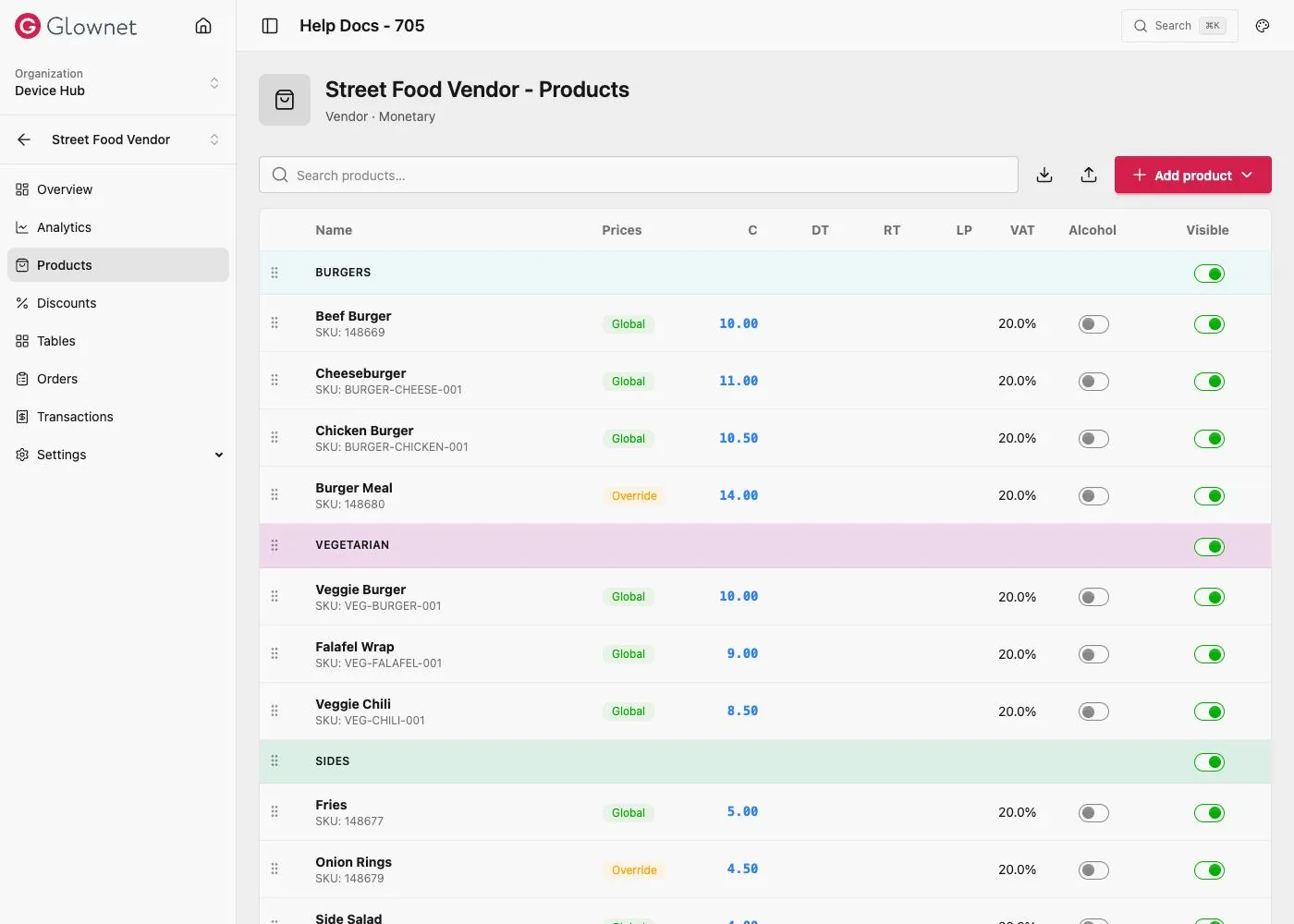
Open station products
- Open Dashboard → your event → Stations.
- Open a POS station.
- Click Products.
Add products
From the Products page menu:
| Action | Result |
|---|---|
| New product | Creates a catalog product and links it to this station (optional station category) |
| Existing product | Multi-select catalog products and assign a category |
| New category | Create a station menu category |
Drag to sort categories and products within categories.
Station overrides drawer
Open a linked product to edit two tabs:
- Product — full catalog fields (shared across stations)
- Station overrides — station category, Visible at station, Use global catalog prices, or per-currency overrides
See Pricing for how globals and overrides interact.
Import / export
CSV import/export supports category, product columns, and prices. hidden in station CSV controls station visibility. When CSV prices differ from globals, the row becomes an override.
Related
Catalog products Event-wide product definitions.
Pricing Global vs override.
Bar station guide Admin bar overview.