
Wallet
Settings → Wallet controls which credential types a customer’s wallet can use, how printed QR codes are encoded, and what guests can do in the online wallet and customer portal.
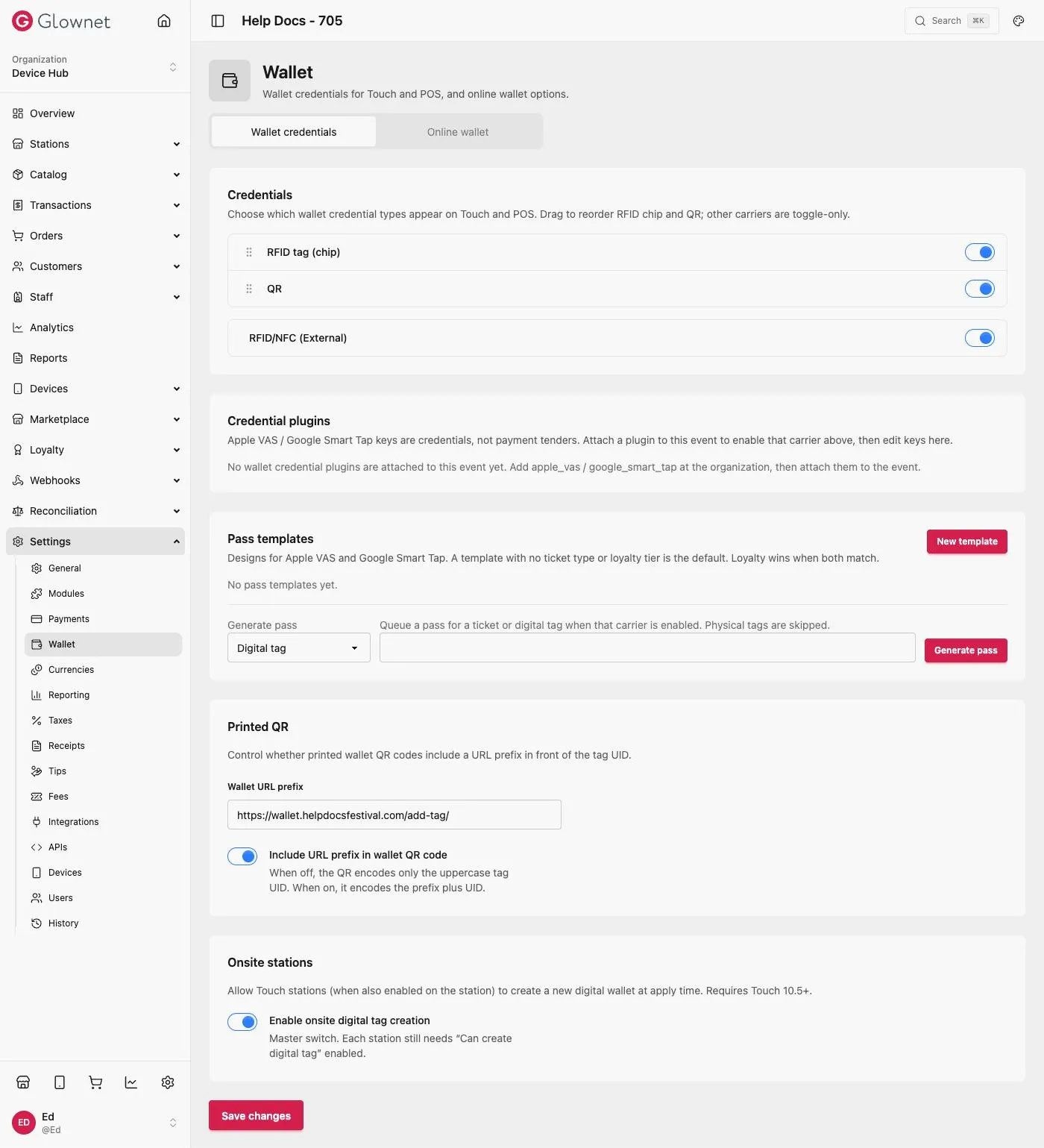
- Open Dashboard and select your event.
- Go to Settings → Wallet.
- Configure the cards below, then Save changes.
Credentials
Choose which wallet credential types appear on Touch and POS. Drag to reorder RFID tag (chip) and QR; other carriers are toggle-only.
| Credential | Description |
|---|---|
| RFID tag (chip) | Physical NFC wristband or card |
| QR | Server-backed Digital Tag; requires network |
| RFID/NFC (External) | Third-party NFC carriers attached via a credential plugin |
Credential plugins
Apple VAS / Google Smart Tap keys are credentials, not payment tenders. Add apple_vas / google_smart_tap at the organization, then attach them to the event here to enable that carrier above and edit its keys.
Printed QR
Control whether printed wallet QR codes include a URL prefix in front of the tag UID.
| Setting | Description |
|---|---|
| Wallet URL prefix | URL prepended to the tag UID when encoded |
| Include URL prefix in wallet QR code | Off: the QR encodes only the uppercase tag UID. On: it encodes the prefix plus UID. |
Online wallet
Control what guests can do in the online wallet and customer portal — requires Online services enabled under Settings → APIs.
| Setting | Description |
|---|---|
| Enable online top-ups | Guests can add credit to their wallet online |
| Enable online purchases | Guests can buy catalog items online |
| Enable online digital tag creation | Guests can create a Digital Tag (QR wallet) themselves online |
| Enable assign tag | Guests can assign an existing tag to themselves online |
| Enable assign ticket | Guests can assign an existing ticket to themselves online |
Onsite stations
| Setting | Description |
|---|---|
| Enable onsite digital tag creation | Master switch allowing Touch stations to create a new digital wallet at apply time (requires Touch 10.5+). Each station still needs its own Can create digital tag setting enabled. |
Digital Tags QR / server wallets in detail.
APIs Turn Online services on for this event.
Payments settings Station tenders and split payments.