
Access types
Access types (accesses) are entitlements that let guests pass Access Control stations according to your rules. In Dashboard they live under Catalog → Access types.
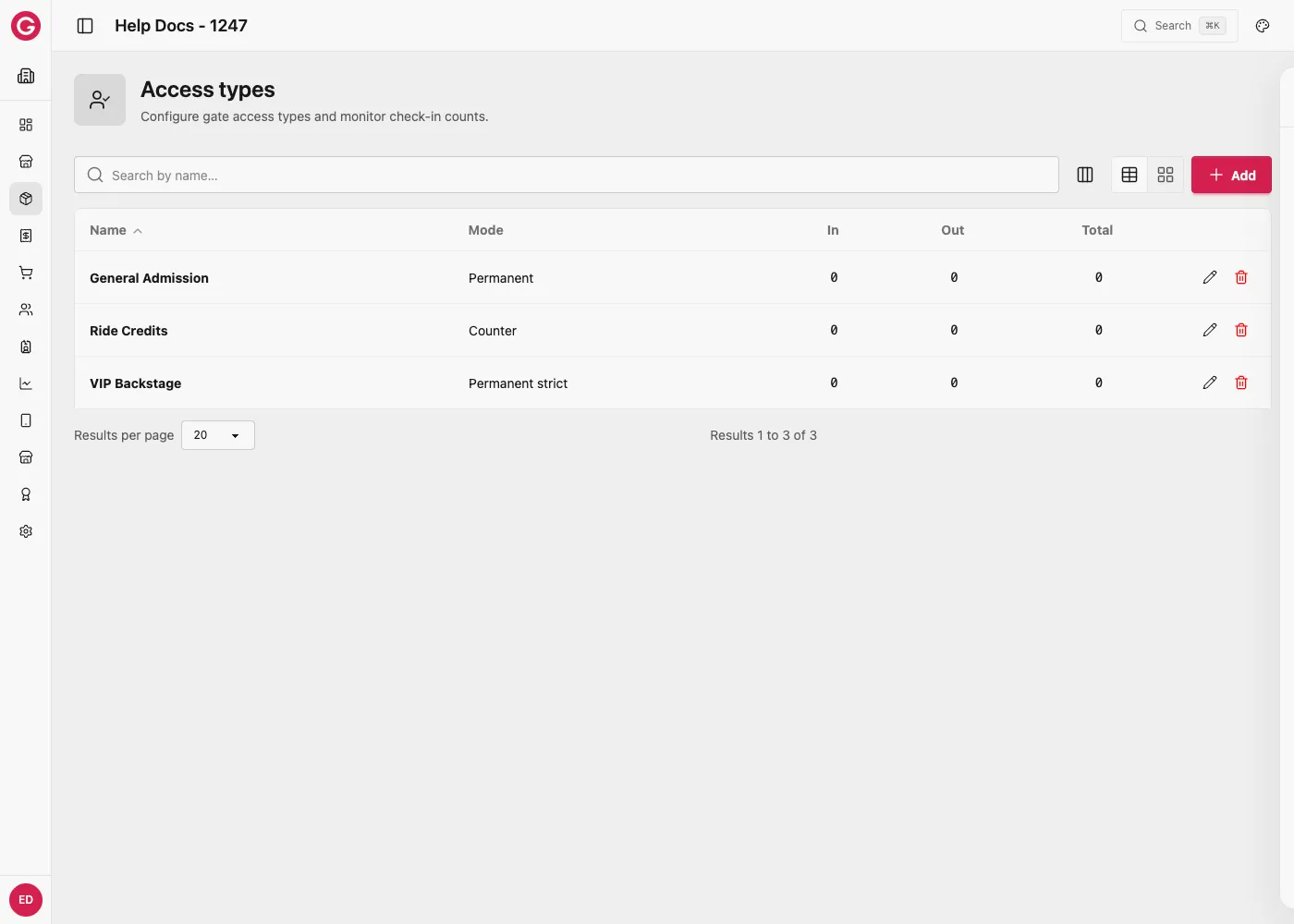
Open access types
- Open Dashboard and select your event.
- Go to Catalog → Access types.
Common access behaviours
| Type | Behaviour |
|---|---|
| Counter | Decrements each use until zero (rides, tasting packs) |
| Permanent | Remains valid for the event (re-entry when allowed) |
| Permanent strict | Stricter permanent rules as configured for the event |
Accesses can control in and out flows so you can reason about capacity in a zone.
Include accesses in Packs for check-in or box-office issuance.
Worked example: a ride ticket with limited uses
A fairground ride wants to let each guest ride up to 5 times on their wristband, and separately wants backstage crew to be able to pass a staff-only gate as many times as needed.
- Create an access type called Ride credits with behaviour Counter and a starting value of
5. Each successful scan at the ride’s Access Control station decrements it by one until it reaches zero. - Create a second access type called VIP backstage with behaviour Permanent strict, so it never runs out for the event’s duration.
- Attach Ride credits to the general admission ticket’s pack so every guest gets 5 rides when they check in.
- Attach VIP backstage only to the crew or VIP pack, not the general admission one.
- At the Ride Entry station, configure its access types tab to validate Ride credits on entry (direction: In).
A guest with a general admission wristband can ride 5 times before the counter hits zero and the gate stops letting them through. Backstage crew scan the same wristband-reading station type at a different gate and never run out, because their access type never decrements.