
Loyalty rules
Rules decide when members earn points, get same-visit discounts or free units, or unlock rewards after progress or a tier change.
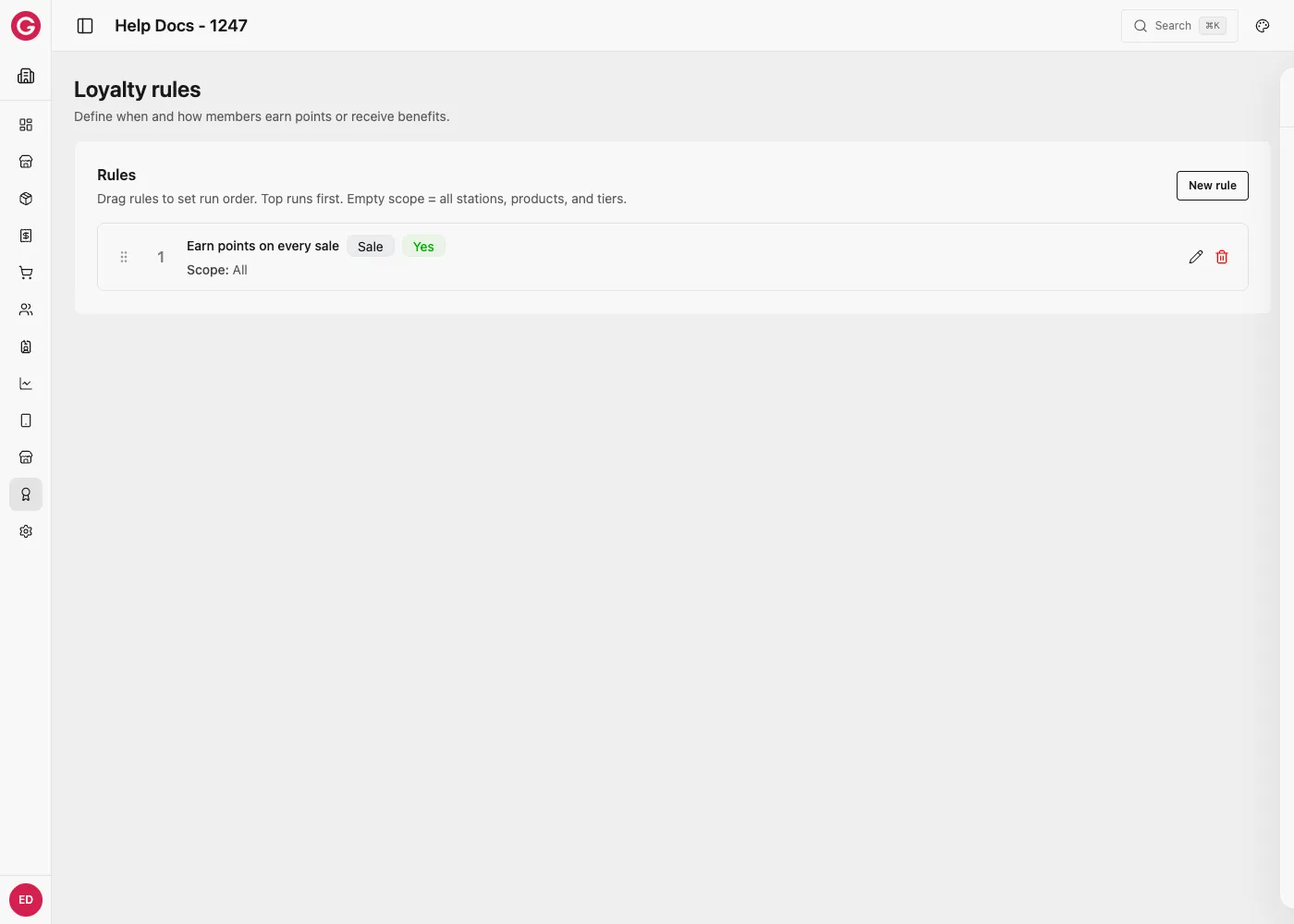
Three rule types
| Rule type (UI) | When it runs | What the member gets |
|---|---|---|
| Checkout perk (immediate) | Online POS consult, before payment | Same-basket earn, % off, or buy-X-get-Y |
| Cumulative reward (after history) | After the sale syncs to Opera | Progress toward a threshold → grant one or more Rewards |
| Tier join or upgrade | When tier changes on the server | Grant Rewards on join / upgrade |
Drag the rules list to set run order (top runs first). Empty Scope = all stations, products, and tiers.
Create Rewards before cumulative or tier rules that need to grant them.
Actions (triggers)
| Action | Use for |
|---|---|
| Sale | Wallet / credit sales |
| Money sale | Cash / card / SoftPOS (member attached via Add Loyalty) |
| Tier change | With Tier join or upgrade rules |
Select every sale type the rule should cover (often both Sale and Money sale for the same earn logic).
Checkout perk (immediate)
Same visit: Touch sends the open basket → Opera returns line results → Touch applies them before tender. After payment, earn can top up the loyalty token when consult ran.
Instruction types
| Instruction | Effect |
|---|---|
| Earn loyalty points | Fixed Loyalty points and/or Percent earn of eligible spend into the program loyalty token |
| Discount percent on basket | % off eligible lines this sale (optional single product) |
| Free product (buy X get Y) | Same-visit free units (BOGO-style). Receipt quantity stays; amount to pay drops |
There is no “fixed CRD off this basket” checkout instruction. For fixed money-off, create a Sale discount reward and grant it via cumulative or tier rules for a later visit.
Example — Earn 10 points per sale
- Rule type: Checkout perk (immediate)
- Actions: Sale (+ Money sale if needed)
- Instruction: Earn loyalty points → Loyalty points =
10
Example — Earn 5% of spend as points
- Checkout perk
- Instruction: Earn loyalty points → Percent earn =
5 - Optional Scope / currencies so only CRD (or selected tokens) count
Example — 10% off this basket
- Checkout perk
- Instruction: Discount percent on basket → Discount percent =
10 - Optional Product (optional) or Scope Products to limit which lines discount
Example — BOGO (buy 2 get 1) this visit
- Checkout perk
- Instruction: Free product (buy X get Y)
- Scope Products: required (e.g. Fries, Burger)
- Buy quantity =
2, Free units =1 - Count quantities:
- Per product (same SKU) — need 2 of the same product
- Across selected products (basket) — pool qty across scoped SKUs
Cheapest matching lines receive free units first.
Cumulative reward (after history)
Tracks activity across synced transactions. When Threshold is reached, Opera grants all selected Rewards to grant together. Touch does not invent these grants offline—they appear on a later online consult.
Progress metrics
| Metric | Typical use |
|---|---|
| Cumulative spend | Spend 500 → reward |
| Product quantity (buy N) | Buy 9 → free product next time |
| Cumulative top-up | Top up 1000 → reward (set Top-up credits) |
| Transaction count / Action count | Visit N times |
| Distinct calendar days / stations / catalog items | Variety challenges |
| Count within time window | N actions inside Time window (seconds) |
Count these actions (optional filters): Sale, Money sale, Top-up, Access.
Reset after grant
| Policy | Behavior |
|---|---|
| Reset to zero after grant | Counter clears; start again |
| Keep remainder after grant | Surplus carries over (e.g. spend 1200 with threshold 1000) |
| Reset when window expires | With rolling window metric |
| Reset each membership period / calendar month | Seasonal / monthly loops |
| Never reset | One-shot lifetime progress |
Also useful: Bucket size + Repeat grant per bucket (e.g. every 1000 topped up → grant again).
Example — Spend 500 → 10% off next visit
- Create Reward: Sale discount, Percentage
10, Redemption = Optional or Automatic - Rule type: Cumulative reward
- Metric: Cumulative spend, Threshold:
500 - Reset: Reset to zero after grant
- Rewards to grant: that discount reward
- Optional Limit per customer / Cooldown
Example — Buy 9 → free fries later
- Reward: Free POS products, product Fries, Free units
1 - Cumulative rule: Product quantity (buy N), Threshold
9, Scope products = Fries (or basket definition you want) - Grant that reward when threshold hits
Not the same as same-line Free product (buy X get Y) at checkout.
Example — Top-up 1000 → catalog bonus
- Reward: Free catalog items (e.g. 50 virtual credit)
- Cumulative: Cumulative top-up, Threshold
1000, Top-up credits = loyalty/token to track - Bucket size
1000+ repeat grant if every 1000 should fire again
Tier join or upgrade
Grants Rewards when membership tier changes on the server (admin, CSV, pack, enroll)—not from device-only state.
| When to grant | Meaning |
|---|---|
| Join tier | First assignment into Target tier |
| Upgrade to tier | Move up to target (optional Upgrade from tiers) |
| Join or upgrade to tier | Either |
Set Limit per customer = 1 (or N) so re-enrollment does not re-grant forever.
Example — Welcome drink on Gold join
- Reward: Free POS products (welcome drink)
- Rule: Tier join or upgrade → Join tier → Target = Gold
- Limit per customer:
1
Immediate vs later benefits
| Goal | Setup |
|---|---|
| Benefit on this sale | Checkout perk (points / % / BOGO) |
| Benefit on a later sale | Cumulative or tier → Reward; redeem Automatic or Optional |
| Auto-apply next checkout | Reward Redemption timing = Automatic |
| Staff picks at POS | Optional (staff selects) |
Grant ≠ redeem: cumulative/tier rules grant; the member redeems on a subsequent eligible checkout (unless a prior grant was already fulfilled).
Scope, caps, currencies
| Field | Notes |
|---|---|
| Stations / Products / Tiers | Empty = all |
| Applies to currencies | Blank = all; else only when tender matches (Credit / Virtual / Token). Money sales are treated like CRD for matching when the device sends currencies correctly |
| Time windows | Day of week + times in event timezone |
| Min / Max basket (CRD) | Optional basket gates |
| Valid from / to | Rule active window |
| Limit per customer | Max times this rule can fire for one member |
| Cooldown between grants | Seconds between firings |
On live events, disable rules with history instead of deleting them.
Offline sales
If a sale syncs without a loyalty consult (offline / skipped):
- Opera can retroactively credit earn (when offline rescue is enabled for the program).
- Same-visit line discounts already missed are not rewritten on the receipt.
- Cumulative reward grants still evaluate after sync—they are not part of offline rescue.
Setup checklist
- Enable Loyalty under Modules.
- Configure Program and Tiers.
- Create Rewards templates for next-visit / cumulative / tier gifts.
- Create Rules (checkout vs cumulative vs tier); drag run order.
- Enroll members (Memberships, packs).
- Test on Touch: online consult for perks; complete sales and confirm cumulative grants on a later consult.