
Loyalty rewards
Rewards are reusable perk templates. Cumulative and tier rules grant them to members. Packs can also bundle reward grants.
They are not the same as same-visit checkout perks (earn / % off / BOGO), which apply inside the current basket without creating a reward row.
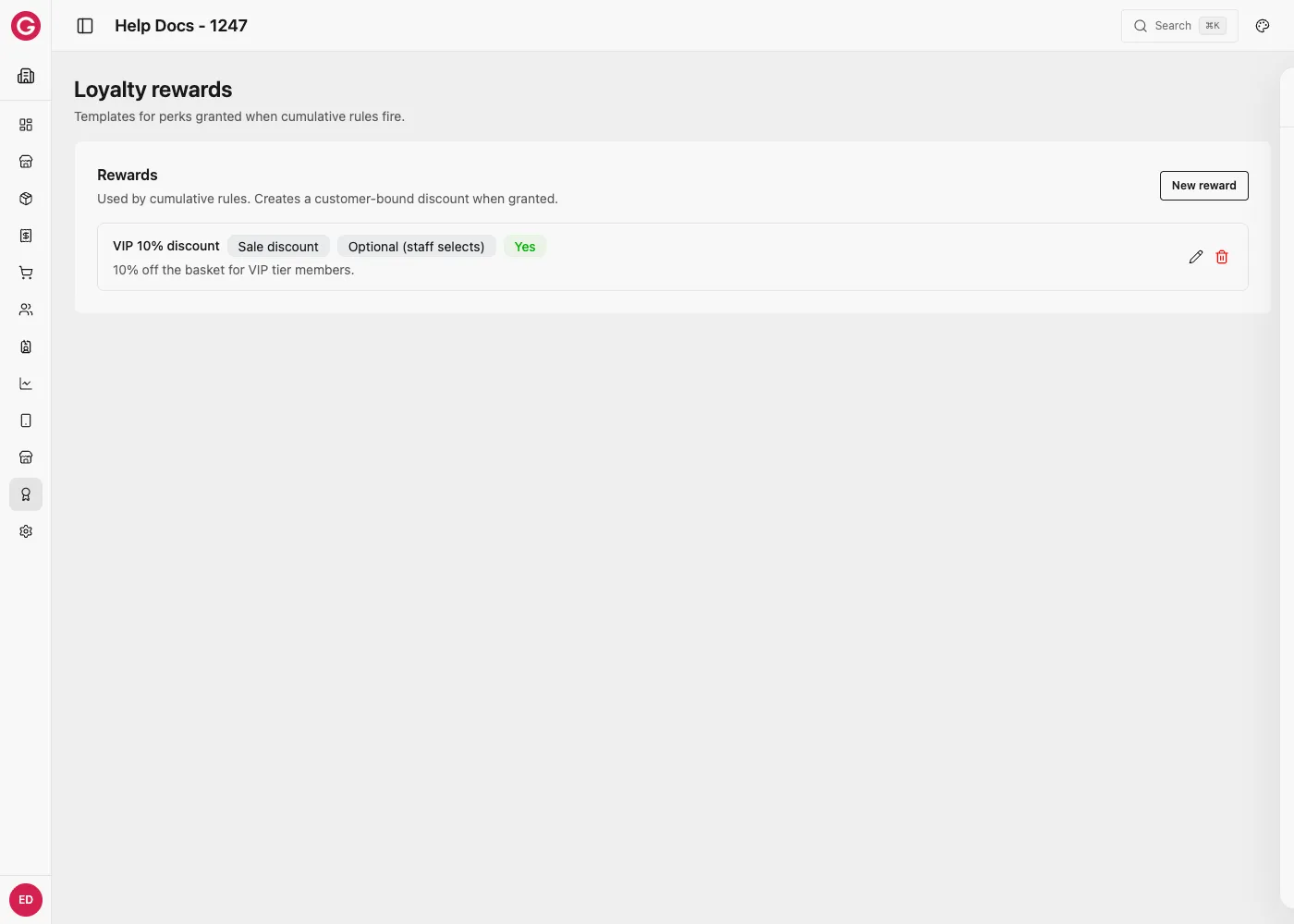
Create a reward
- Open Dashboard → your event → Loyalty → Rewards.
- Create a reward: name, Reward type, products/stations as needed.
- Set Redemption timing and whether it is Stackable with other rewards.
- Attach the reward to a cumulative or tier rule (or a pack).
Reward types
| Reward type | What is fulfilled |
|---|---|
| Free POS products | Customer-bound entitlement: free units of selected product(s) on a later sale |
| Sale discount | Customer-bound money off: Percentage or Fixed amount (CRD) |
| Free catalog items | Completed catalog order when granted (credits, tokens, accesses, packs, etc.) |
Hints from Dashboard: free POS = units (e.g. 1 free fries); sale discount = % or fixed CRD; catalog items = completed order with credits/tokens/accesses.
Example — 1 free fries (next visit)
- Reward type: Free POS products
- Products: Fries
- Free units:
1 - Redemption: Optional (staff selects) or Automatic
- Grant via cumulative “buy 9” or a welcome tier rule
Example — Fixed 5.00 CRD off later
- Reward type: Sale discount
- Discount type: Fixed amount (CRD)
- Amount:
5 - Grant via cumulative spend or Gold join
(There is no checkout-perk instruction for fixed CRD off this basket—use % off as a checkout perk, or this reward for later.)
Example — 50 virtual credit on grant
- Reward type: Free catalog items
- Add catalog line(s): Virtual credit × 50 (and/or access, pack, token)
- When the rule fires, Opera creates a completed catalog order for the customer
Grant → fulfill → redeem
Rule or pack fires → Grant created → Fulfilled (discount or catalog order) → Redeemed at POS| Step | Meaning |
|---|---|
| Grant | Member becomes entitled (pending / issued) |
| Fulfill | Server materializes a customer discount or catalog order |
| Redeem | Next eligible sale uses it (like a bound discount—no typed code) |
Same-visit use of a reward only works if an earlier grant was already fulfilled before this checkout started.
Redemption timing
| Setting | Behavior |
|---|---|
| Automatic | Applies on the next eligible checkout without prompting |
| Optional (staff selects) | Appears on POS for staff / member choice |
Stacking
| Setting | Behavior |
|---|---|
| Stackable on | Can combine with other optional rewards on the same sale |
| Stackable off | Only one non-stackable optional reward applies; program Outcome strategy picks best for member vs organizer |
Checkout perks (immediate line results) auto-apply on their own and are separate from optional reward picking. Touch stacking UX continues to evolve—keep rewards simple for launch events.
Scope on rewards
| Field | Use |
|---|---|
| Products / Stations | Limit where the entitlement can redeem |
| Max redemptions | Cap uses of this reward instance |
Membership must be grantable (active or scheduled) for pack/rule grants to proceed.
Packs
A pack can list Loyalty rewards with grant quantities. On apply, the same reward kinds are issued—see Packs and Membership lifecycle.