
Marketplace Merchants
A Connected Merchant is a vendor’s account with the marketplace payment provider, linked to one or more of your stations so their Marketplace balance can be settled straight to them instead of being paid out manually.
Before you start
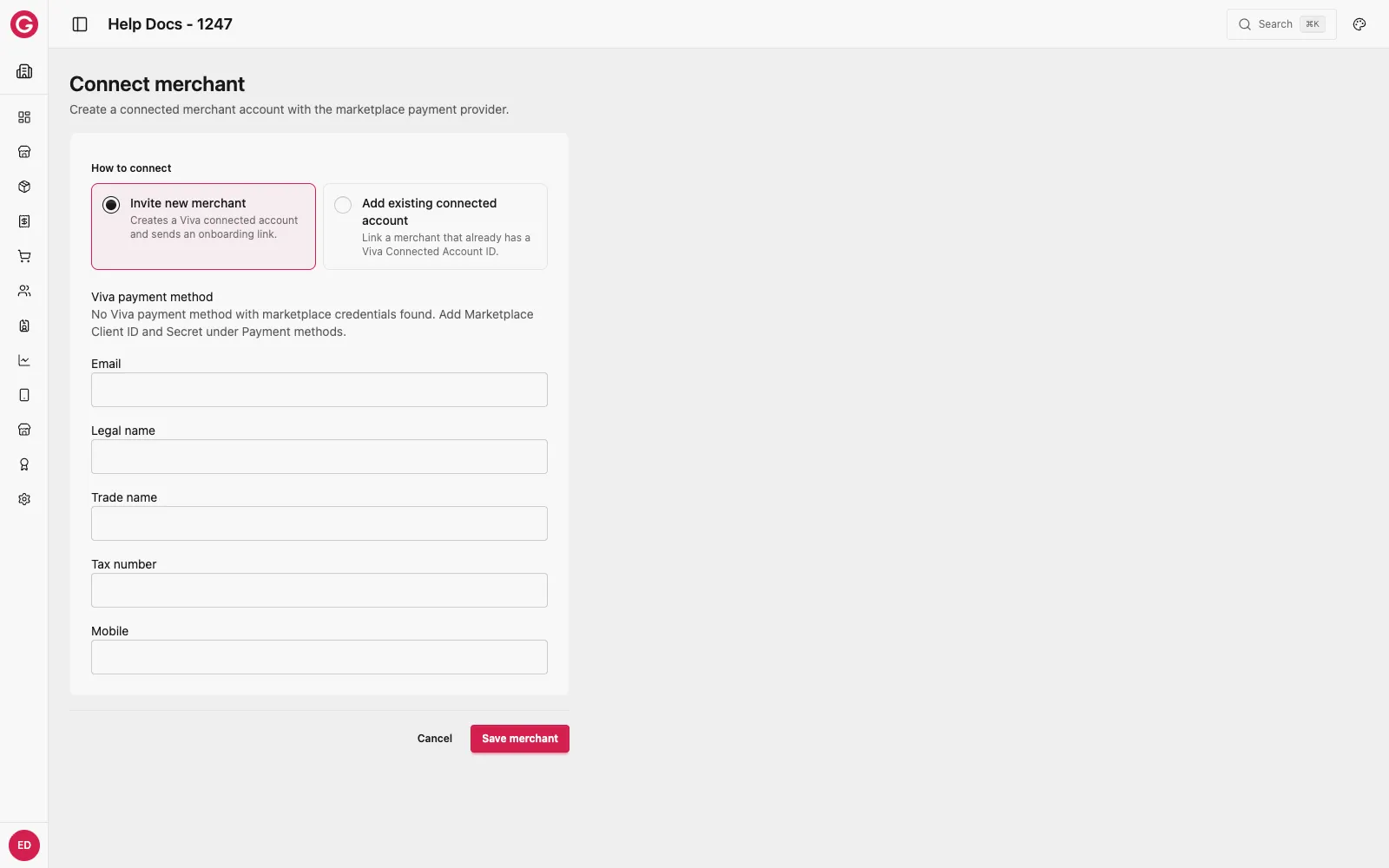
Connecting a merchant requires the event’s organisation to already have a payment method configured with marketplace credentials under Settings → Payments. If this hasn’t been set up, the Connect merchant form will tell you no payment method with marketplace credentials was found — set that up first, then return here.
Viewing connected merchants
-
Open Dashboard and select your event.
-
Go to Marketplace → Merchants.
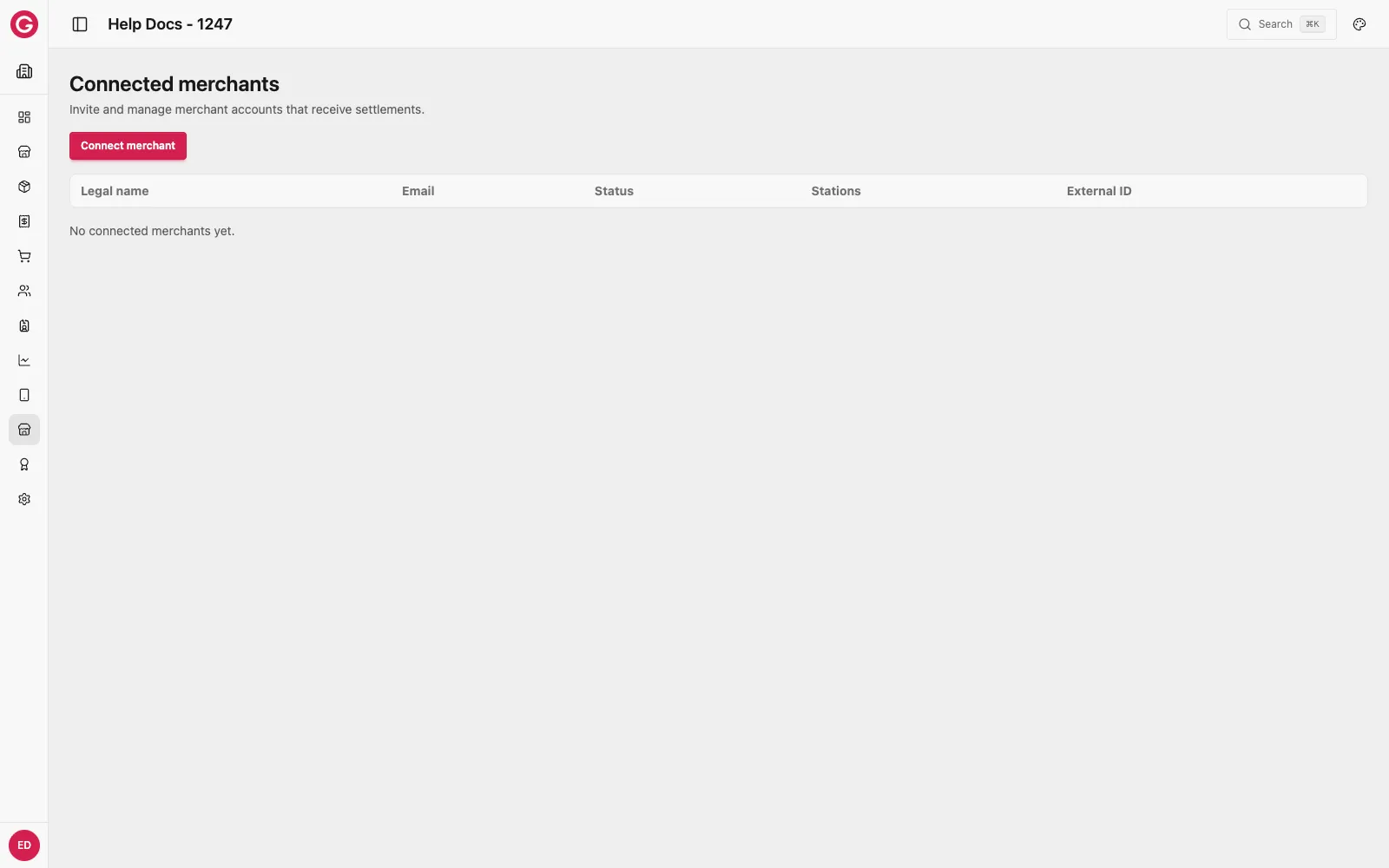
Each row shows the merchant’s Legal name, Email, connection Status, which Stations are assigned to them, and their External ID.
Connecting a merchant
-
From Marketplace → Merchants, click Connect merchant.
-
Choose how to connect:
- Invite new merchant — creates a new connected account with the payment provider and emails the vendor an onboarding link to complete the provider’s own verification.
- Add existing connected account — link a vendor who already has a Connected Account ID with that provider from elsewhere.
-
Fill in the merchant’s Email, Legal name, Trade name, Tax number, and Mobile.
-
Click Save merchant.
Once the vendor completes the provider’s onboarding (for an invited merchant) or the existing account ID is verified, their status updates and their assigned stations can be settled through Settle.
Assigning stations to a merchant
A merchant only receives settlements for the stations assigned to them. Assign or change a merchant’s stations from their row in this list.