
Station Marketplace fees
When the Marketplace module is on, POS stations expose Settings → Marketplace fees — the same fee schedule shown for this station in the event-wide Marketplace → Fees table.
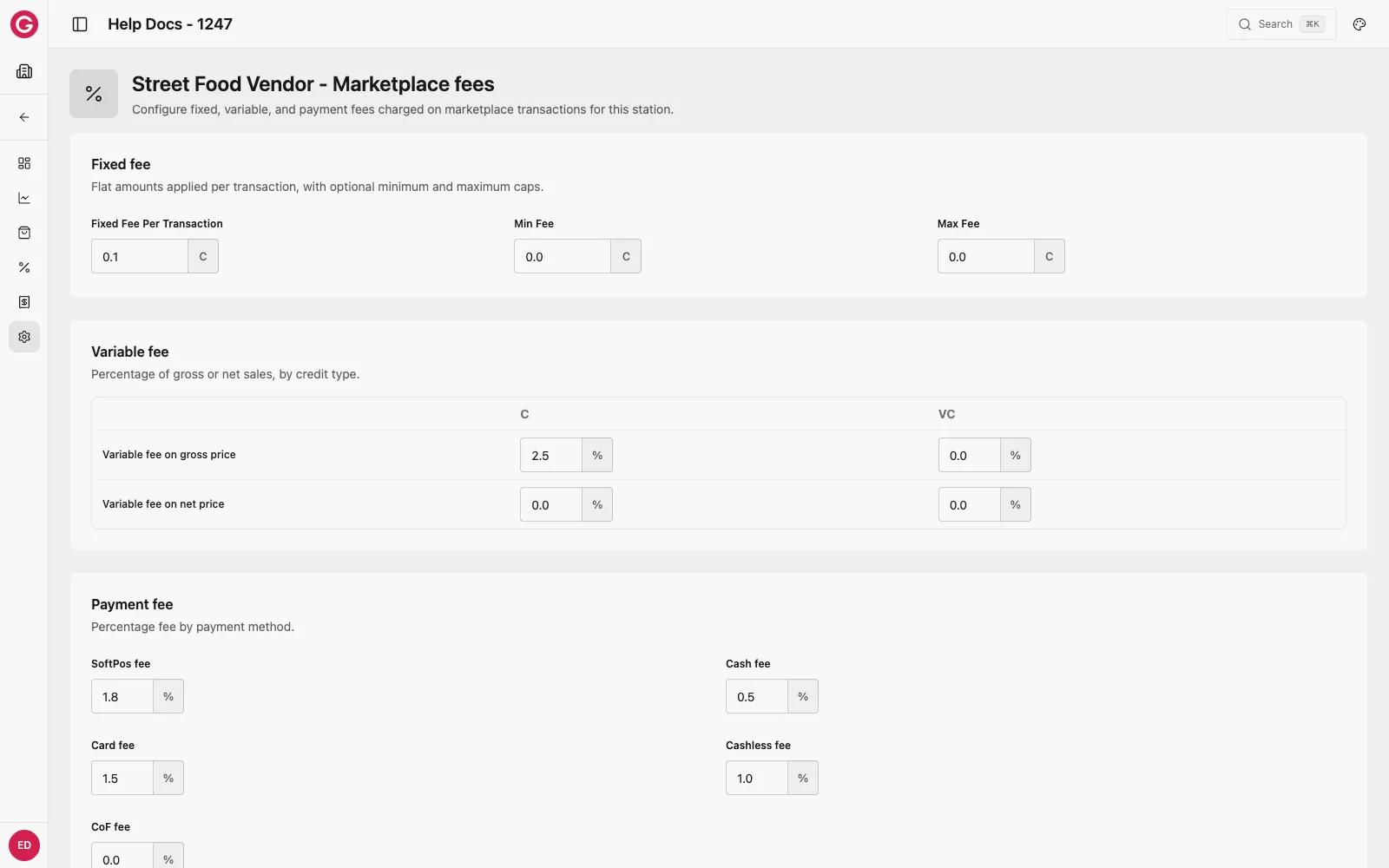
Configure
- Enable Marketplace in Settings → Modules.
- Open a POS station → Settings → Marketplace fees.
- Set the Fixed fee (Fixed Fee Per Transaction, Min Fee, Max Fee), the Variable fee (gross/net, Credits and Virtual Credits), and the Payment fee (SoftPos, Cash, Card, Cashless, CoF).
- Click Save changes.
See Marketplace fees for what each field means, how the Fixed/Min/Max cap only applies to the Marketplace Fee, and worked examples.
Marketplace overview Marketplace docs hub.
Marketplace fees Fee groups, calculation order, and worked examples.