
Fees
Top-up and refund fees let an organiser (promoter, venue, or event owner) charge customers for moving money in and out of their closed-loop wallet balance — separate from Marketplace fees, which apply to product sales at POS stations.
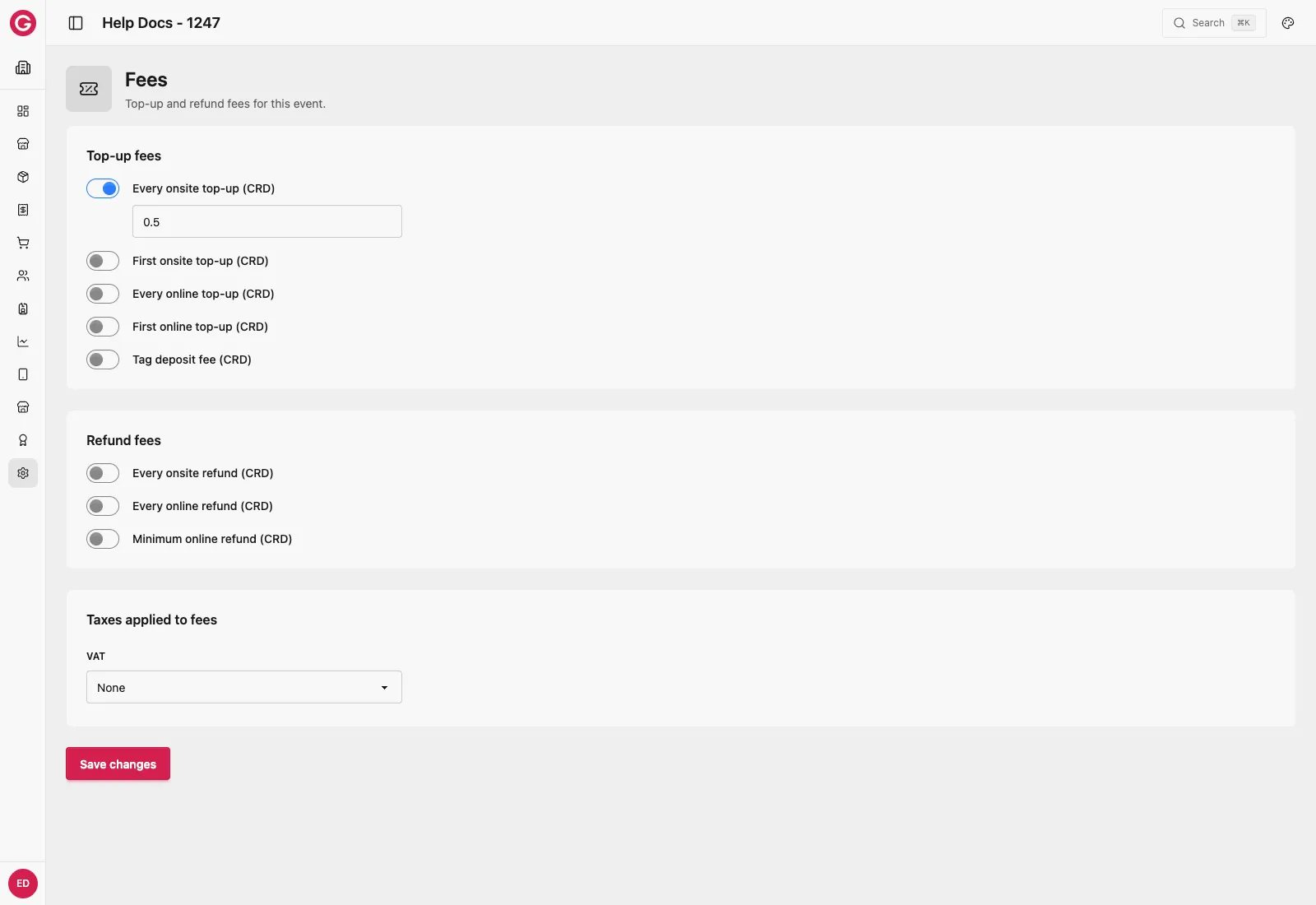
Where to find it
- Turn Fees on in Settings → Modules.
- Go to Settings → Fees.
Each fee is an independent toggle — switch one on and an amount field appears next to it. All fees are flat amounts in the event’s currency (CRD), not percentages.
Top-up fees
| Fee | Description |
|---|---|
| Every onsite top-up | Charged every time a customer tops up at a Top-Up station |
| First onsite top-up | Charged only the first time a customer tops up at a Top-Up station |
| Every online top-up | Charged every time a customer tops up online |
| First online top-up | Charged only the first time a customer tops up online |
| Tag deposit fee | A deposit charged on issuing a tag, intended to encourage the customer to return it |
Fees are deducted immediately from the amount credited to the customer’s wallet.
Refund fees
These apply when a customer refunds their wallet balance back to their bank account — not when a product sale itself is refunded. See Taxes for why that distinction matters.
| Fee | Description |
|---|---|
| Every onsite refund | Charged every time a customer requests a refund at a Top-Up/Refund station |
| Every online refund | Charged every time a customer requests an online refund |
| Minimum online refund | The smallest balance a customer can refund online |
Taxes applied to fees
A top-up or refund fee can itself have a tax rate applied, independently of product tax. Choose one of the event’s configured taxes, or None.