
Marketplace Balances
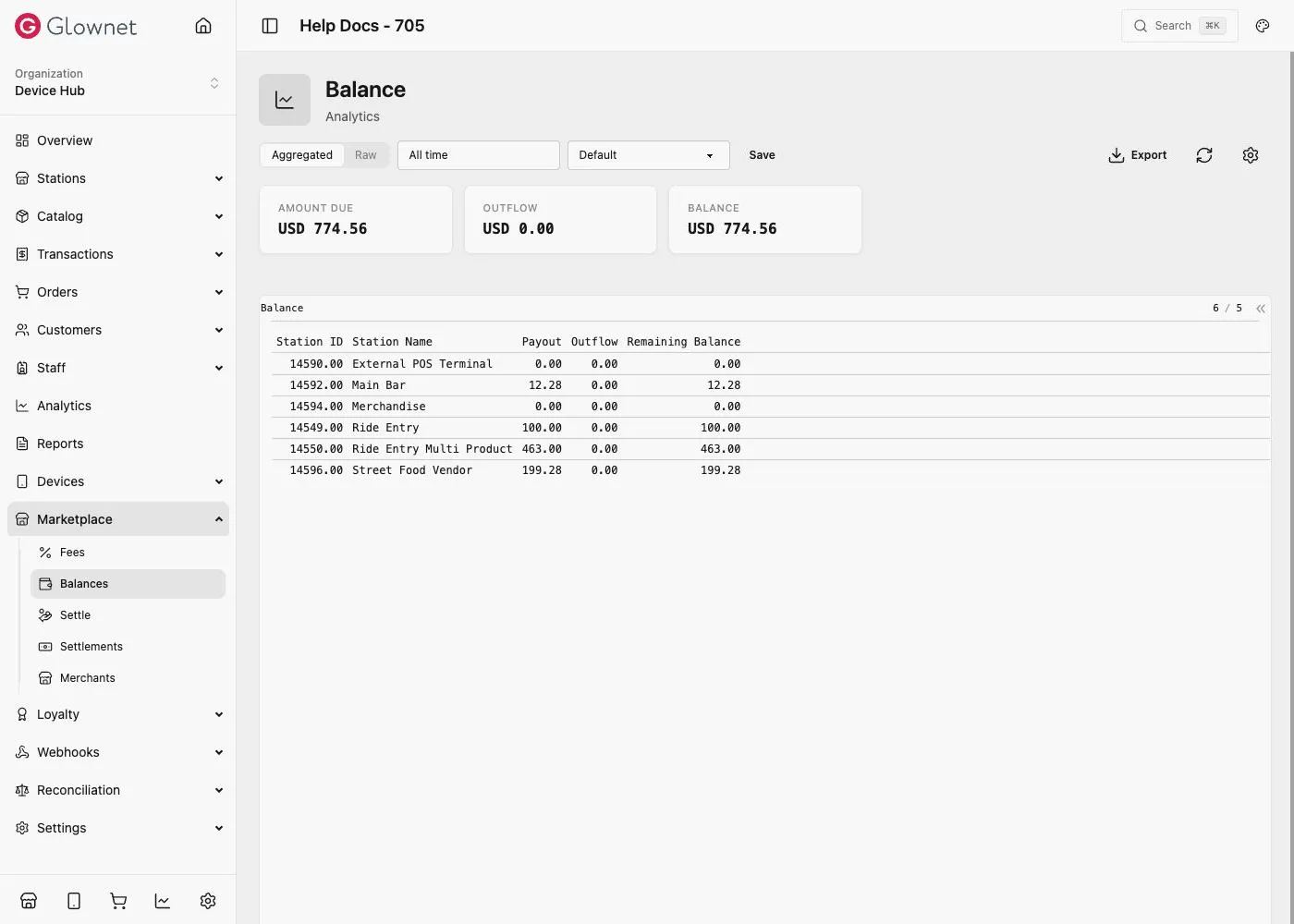
Balances shows what’s due to (or owed by) every Marketplace station, and how that figure was reached.
Where to find it
-
Open Dashboard and select your event.
-
Go to Marketplace → Balances.
Reading the page
At the top, three event-wide totals:
| Figure | Meaning |
|---|---|
| Amount Due | Total owed to vendors across every station, before outflows |
| Outflow | Total already settled, charged, or corrected out |
| Balance | Amount Due minus Outflow — what’s still outstanding event-wide |
Below that, a per-station breakdown:
| Column | Meaning |
|---|---|
| Station ID / Station Name | The station the row belongs to |
| Payout | That station’s Net Proceeds — sales minus Marketplace Fees, Payment Fees, and any vendor-held Cash/Card proceeds |
| Outflow | Settlements, charges, and corrections applied to that station so far |
| Remaining Balance | Payout minus Outflow — what’s still due to (or owed by) that station |
A positive Remaining Balance means the organiser owes the vendor. A negative Remaining Balance means the vendor owes the organiser — most often because a station trades heavily in Cash or Card, where the vendor already holds the sale proceeds but Marketplace Fees still apply. See the Cash example for why that happens.
Where outflows come from
Outflows reduce a station’s balance and come from three places:
- Settlements — a payout made via Settle, or recorded manually
- Charges — a deduction the organiser applies directly (for example, equipment rental, cleaning, or electricity)
- Corrections — a manual adjustment in either direction, typically used to fix a customer-service refund or a reconciliation error