Station Stats
Stats shows the totals for your session and for the station on this device, and lets you print them. At stations that take cash, it also has a cash reconciliation.
Stats is available at:
| Station | Stats tabs |
|---|---|
| Top-Up and Refund | Session, Manager (Topups), Cash reconciliation |
| Bar and Vendor | Session, Manager (Sales, Inventory) |
| POS Validation | Session, Manager (Sales, Inventory) |
| Box Office | Session, Manager (Purchases, Inventory), Cash reconciliation |
Check-in, Access Control, Ticket Validation, Staff Accreditation and External POS stations have no Stats.
Open Stats
-
Log in to your station.
-
Tap ⋮ (top right) and select Stats.
-
Stats opens with the Session tab. Tap ✕ to close it.
Session
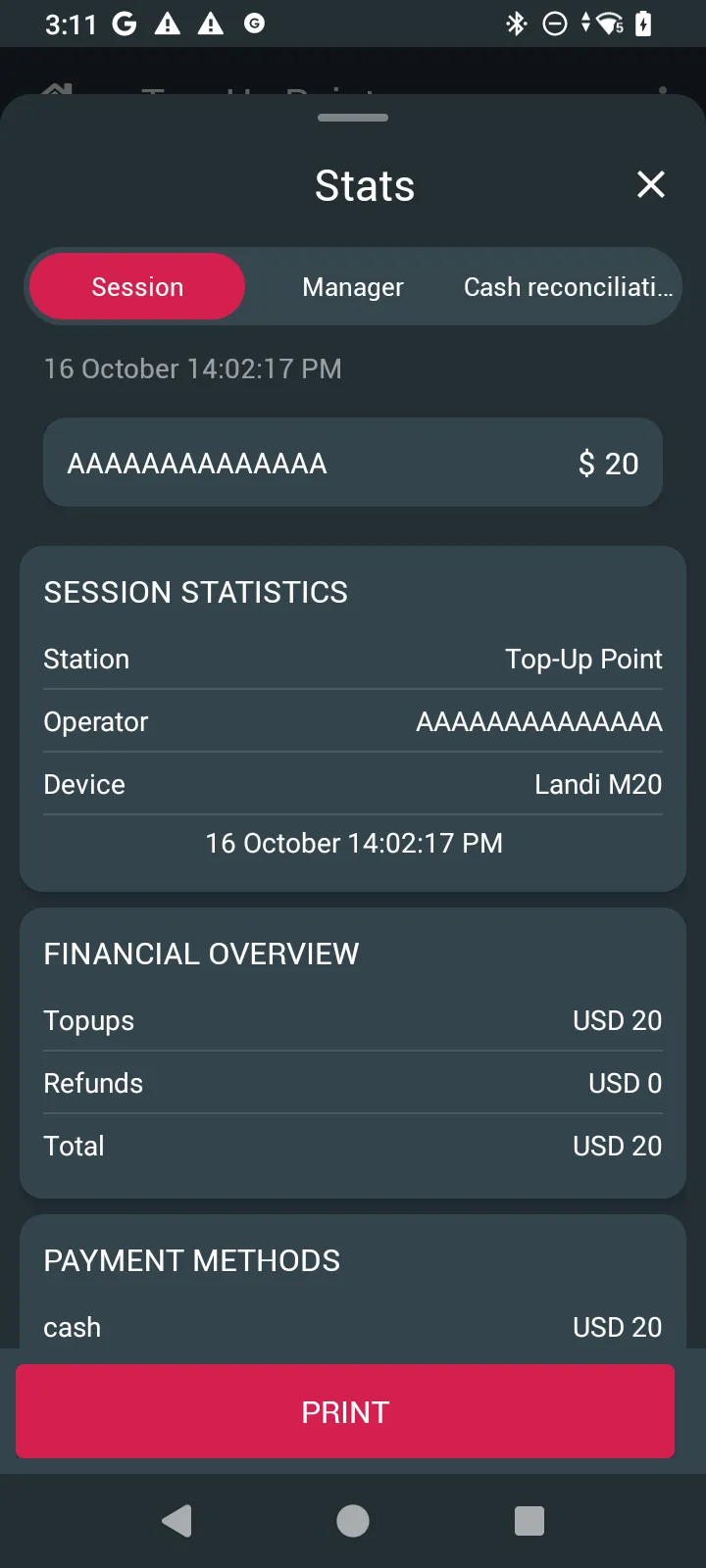
Session shows what you have done since you logged in on this device: your operator tag and total, the date and time, SESSION STATISTICS (Station, Operator, Device) and the totals for the station type.
- Top-Up and Refund: FINANCIAL OVERVIEW (Topups, Refunds, Total) and PAYMENT METHODS (for example cash).
- Bar, Vendor and POS Validation: PRODUCT OVERVIEW, the number of each product sold. Money totals are on the Manager tab.
- Box Office: From and To, FINANCIAL OVERVIEW (Purchases) and PAYMENT METHODS.
Tap PRINT to print the summary.
Manager
Manager shows the totals for the whole station on this device, for all operators.
-
Tap Manager.
-
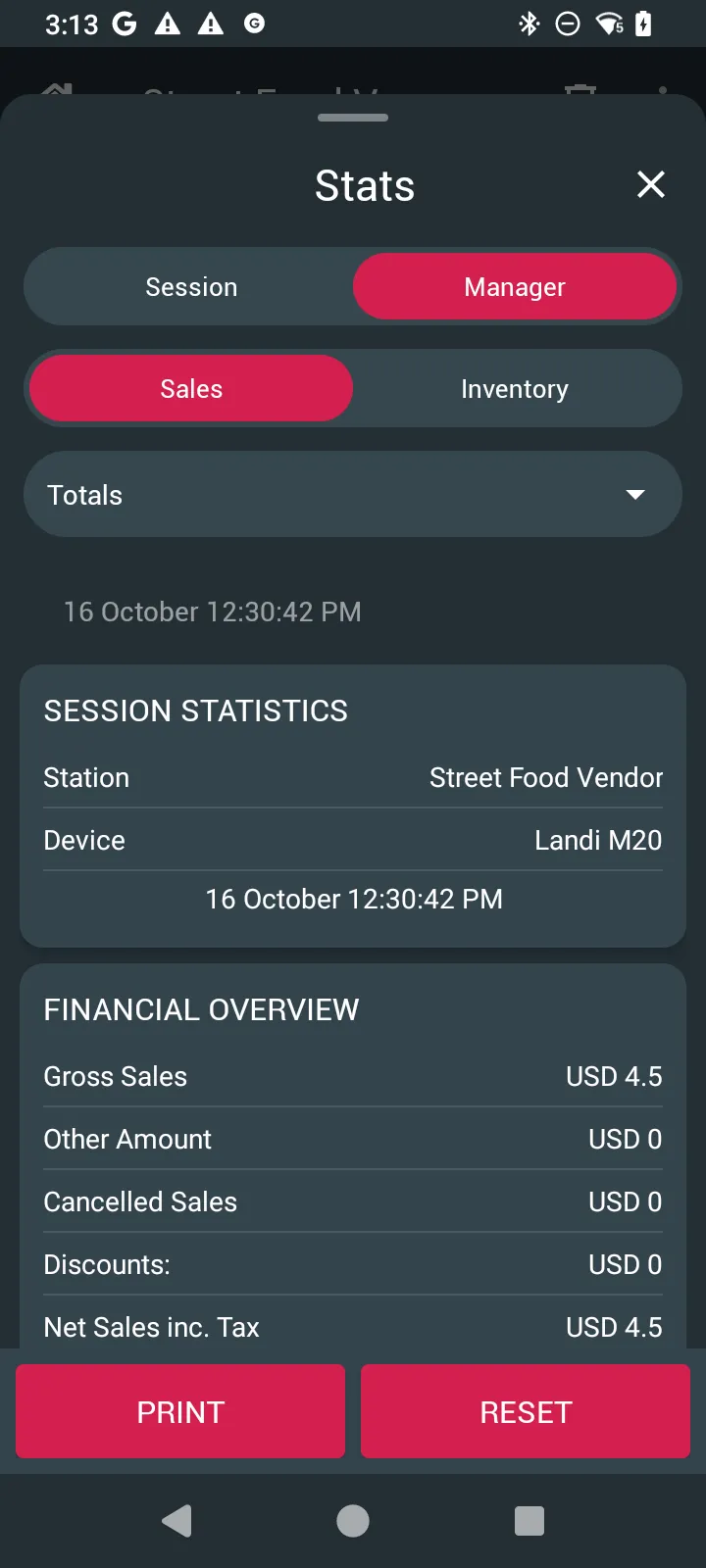
Choose the report in the second row:
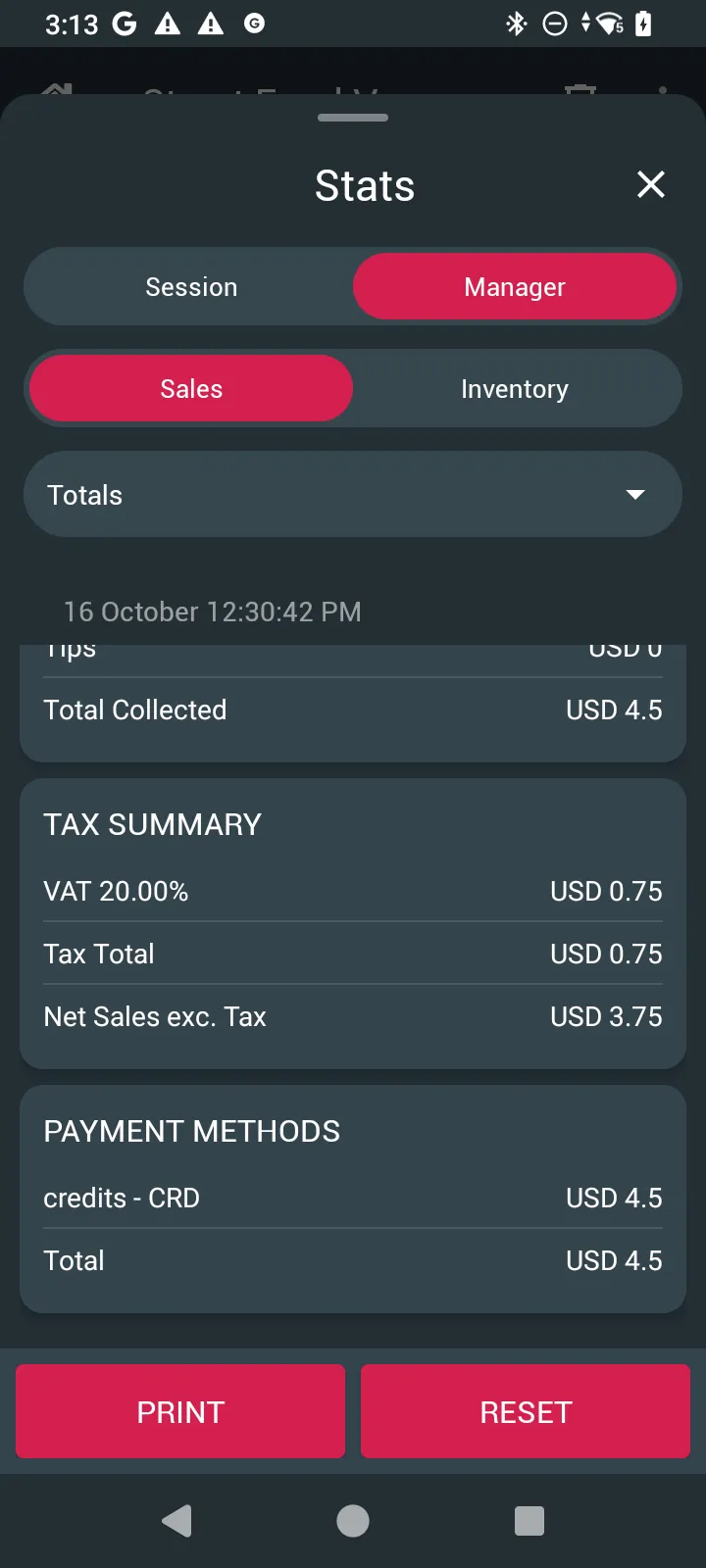
- Sales (Bar, Vendor, POS Validation): FINANCIAL OVERVIEW with Gross Sales, Other Amount, Cancelled Sales, Discounts, Net Sales inc. Tax, Tips and Total Collected; TAX SUMMARY (for example VAT 20.00%) and Tax Total; Net Sales exc. Tax; and PAYMENT METHODS with a Total.
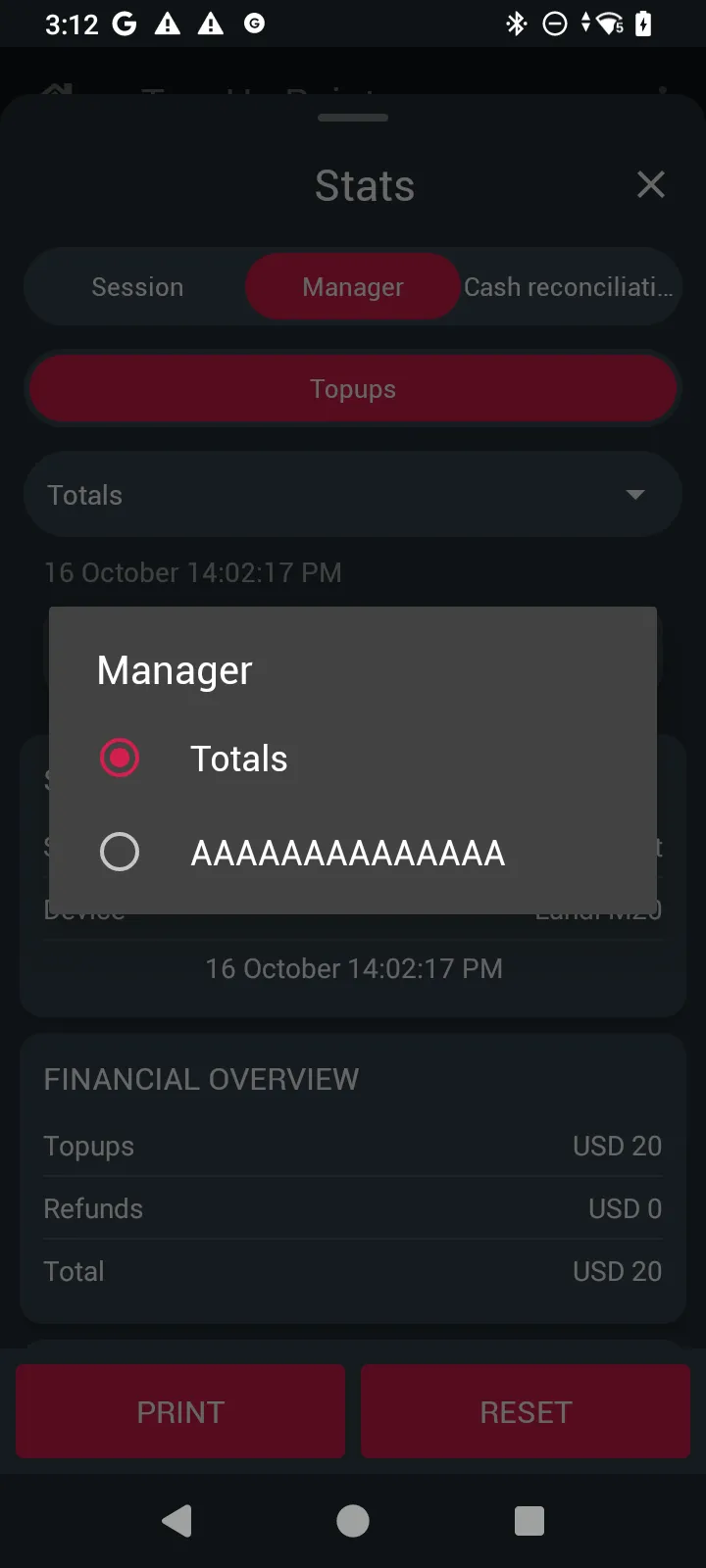
- Topups (Top-Up and Refund): Topups, Refunds and Total.
- Purchases (Box Office): Purchases and PAYMENT METHODS.
- Inventory: the number of each product sold.
-
Use the list under the report (Totals) to see the totals for the whole station, or choose an operator to see only their transactions.
-
Scroll down for the tax summary and payment methods. Tap PRINT to print the report.
Cash reconciliation
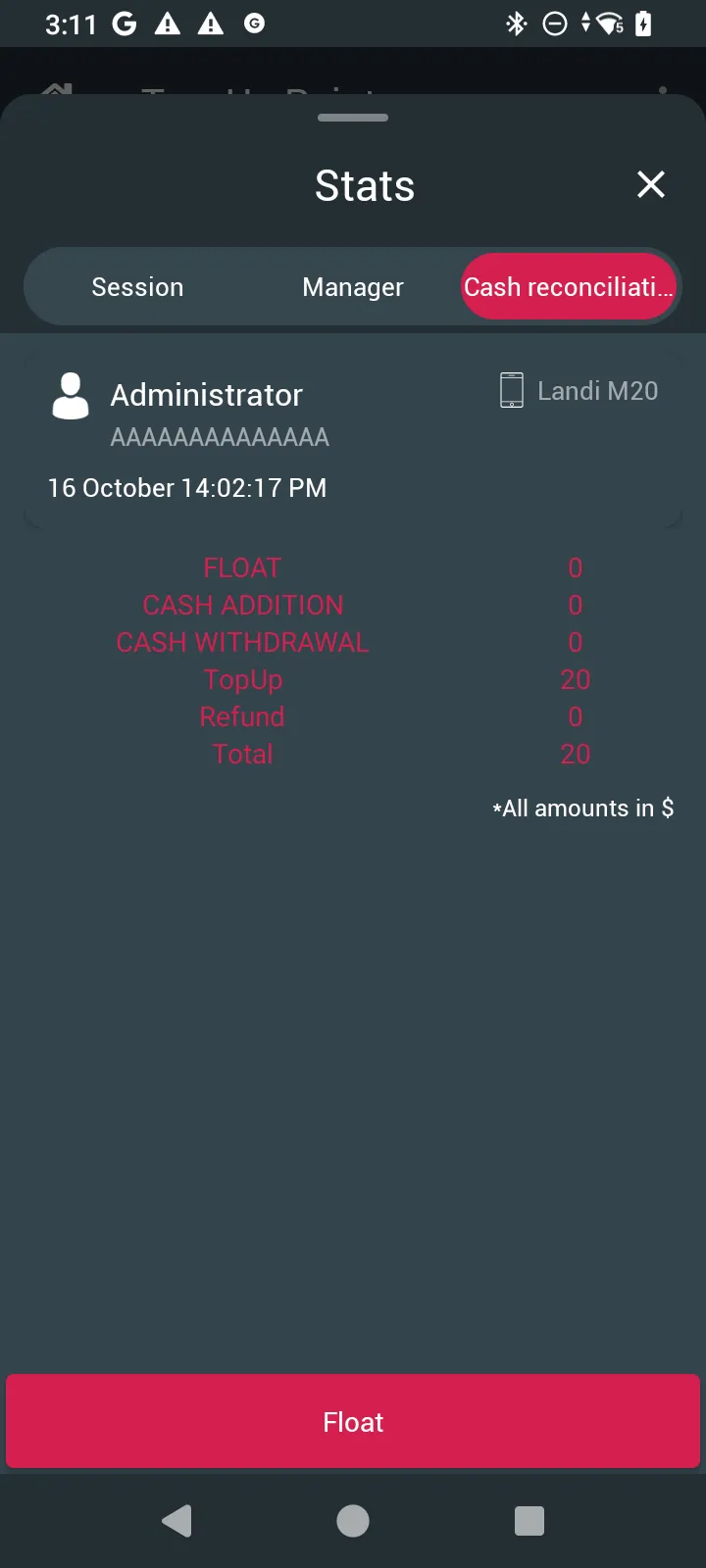
At Top-Up and Refund and Box Office stations, Cash reconciliation shows the cash you should have, in the event’s currency: FLOAT, CASH ADDITION, CASH WITHDRAWAL, the cash taken (TopUp and Refund, or BOX OFFICE PURCHASE) and the Total.
Tap Float to record the cash you started with.